Language Packs Fail When Extra Faces Keep Talking
AI video localization goes beyond dubbing: lip sync, speaker masks, quality control and human review help prevent errors across languages
 La Redazione
Product videos stall in translation for a reason that rarely appears on a vendor slide. The script is ready. The subtitle file is ready. Then a second employee in the back of the shot starts forming words in a language they never learned. Before a team buys another studio day, Lip sync ai has to solve that attribution leak, not invent a prettier host.
Old localization math assumes the expensive object is the voice talent. On a help-center walkthrough or a launch demo, the expensive object is the frame. You already paid for the set, the lighting, and the take where the product actually works. A new language should replace the spoken line. It should not resurrect a silent colleague, a hallway extra, or a reflection in a monitor.
Reshoots Hide The Real Localization Cost
A reshoot looks responsible. You book the same room, fly the same presenter, and lose a week waiting for calendars. The hidden bill is the product state. Buttons have moved. The dashboard no longer matches the original take. The presenter now explains a build that marketing already retired. You spent the week recreating yesterday.
Subtitle-only shipping looks cheaper and fails in a different place. Viewers who watch with sound off still see an English mouth under a Spanish track. Support tickets then argue about "the video" as if the translation were wrong. The translation was fine. The face was still speaking the source language.
The third old habit is to crop so tightly that no extra face survives, then discover the presenter's hands and the product UI have left the shot. You protected attribution by deleting the product. The result is a worse video, and it still cannot ship as a language pack.
Replacement Audio Only Works If The Frame Is Isolated
A usable localization pass starts from footage you already trust. The replacement track can be a recorded VO, a text-to-speech line, or a file stored in My Creations. The source clip has to show a readable mouth and as few competing faces as you can keep. If the original edit was a wide office shot "for energy," expect the extra mouths to become the story.
Do the isolation before anyone argues about model names. Count the faces. Note glass, screens, and posters that contain a face. If a second mouth can be seen, it needs a decision: crop it out, cover it, or mask it. Hoping the generator will "know who is presenting" is how a German pack inherits an English coworker.
Silent Extra Faces Need A Mask Not A New Shoot
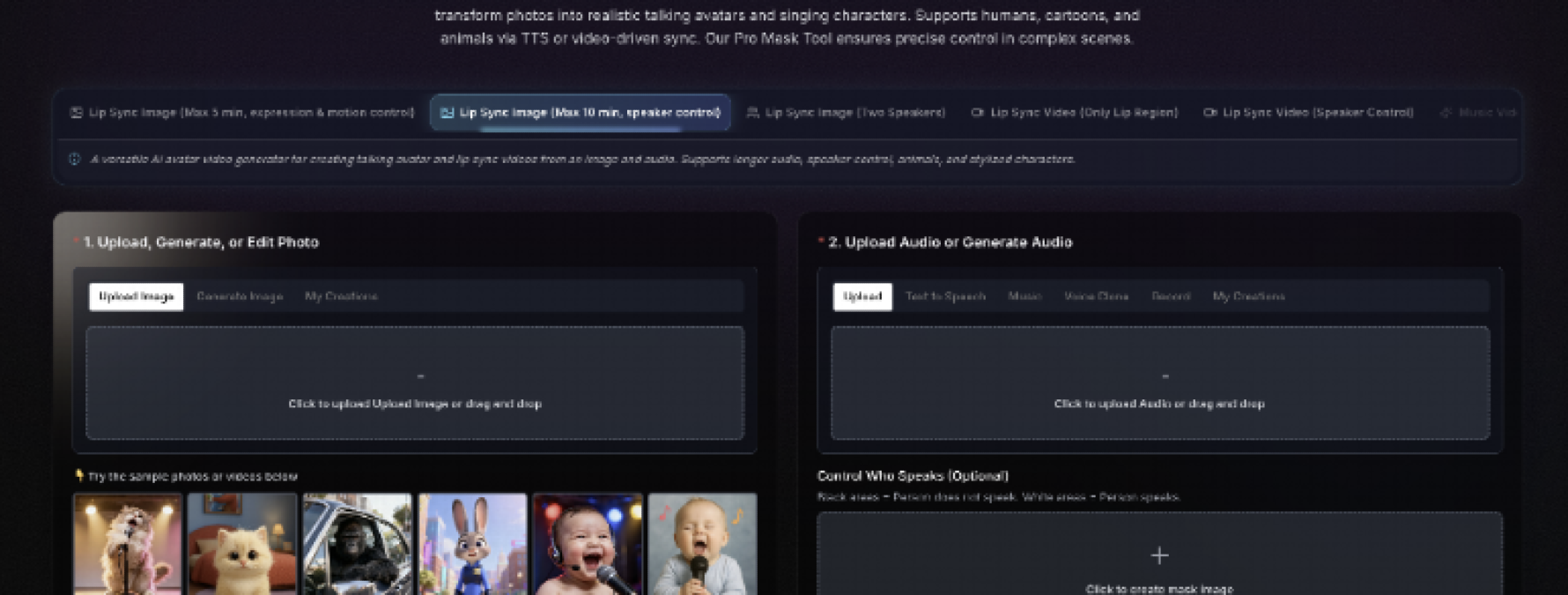
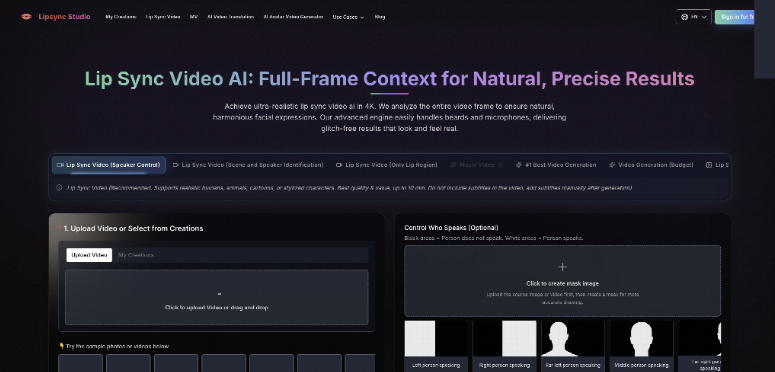
The Control Who Speaks tool uses a black-and-white mask. White is allowed to speak. Black must stay still. Upload the source first so the drawing lands on the real pixels, then paint the presenter white and everyone else black. In a two-shot interview, that is the difference between a dubbed guest and a host who accidentally lips the guest's answer.
If the extra face is a poster or a muted video wall, black it. If you cannot reach it with a mask without also painting out the presenter, the plate is wrong. Recut the source. Do not buy a second day on set to solve a pixel you could have cropped.
Choose Image Or Video By What You Already Own
Lipsync Studio offers more than one input shape, and the localization desk should pick the one that matches the asset cabinet. If you have a finished demo, use the video lip-sync path and replace the audio. If you only have an approved still of a host, use an image path and accept that you are creating a talking portrait, not preserving a product take. Those are different deliverables. Mixing them in one language folder will confuse QA.
Duration ceilings matter when you plan a queue. Image speaker-control jobs are listed up to ten minutes. The expression-and-motion image path is listed up to five. The two-speaker image path is listed up to 500 seconds. Video replacement is listed up to about ten minutes on the public guide. A 14-minute webinar needs a cut list before anyone queues a generate.
Keep Existing Footage When The Set Cannot Be Recreated
If the product UI has changed, do not lip-sync the obsolete click path and then ask support to "explain the difference in comments." Either recapture the screen, or cut the spoken line so it no longer names a vanished button. A perfect mouth on a dead interface is still a failed language pack.
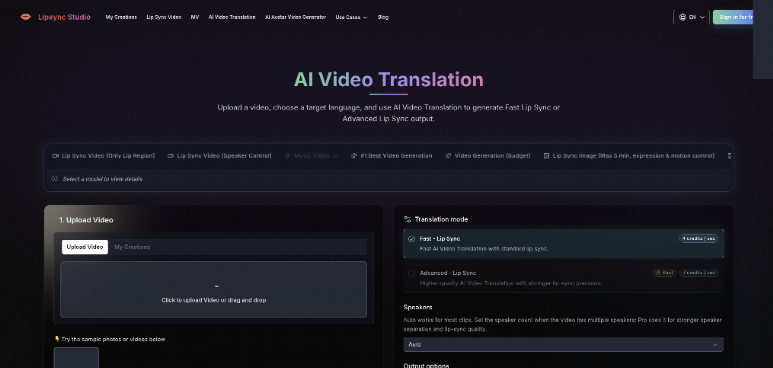
If the asset is a song-led brand film, stop. That file belongs on the AI music video generator path, where a track can drive a storyboard. A help-center VO does not need verse and bridge shots. Putting a documentation line through a music-video plan usually adds invented rooms you then have to fact-check against a product that lives in one browser tab.
Expired Media URLs Stop The Overnight Queue
Once the desk moves from one hero clip to twenty locales, the web uploader stops being the system. The public API on Lipsync Studio accepts media as URLs inside JSON. There is no multipart upload on that surface yet. If your object store link expires while the job is still running, the worker cannot fetch the file and the queue dies in a way that looks like a model failure.
API credits and the credits you buy in the website account are not interchangeable. A producer who "still has website credits" cannot pay an API invoice with them. Plan the two wallets separately or the overnight batch will halt at the first paid job.
480p bills 2 credits per second with a 5 second minimum, so a 3 second sting costs 10 credits.
720p bills 4 credits per second with the same 5 second floor, so that sting becomes 20 credits.
1080p, 2K, and 4K bill 6, 7, and 8 credits per second, with floors of 30, 35, and 40, so short 4K pickups price like longer jobs.
The talking-avatar image path bills 4, 6, 8, or 9 credits per rounded-up audio second. Keep it for a host still, not a UI demo.
Treat those floors as a queue tool. They tell you whether twenty locales at 4K will bankrupt the night. They do not tell you whether the mouth looks expensive. Review language at 720p. Promote a winner. Do not multiply 4K across a folder of first-pass audio.
API Jobs Need Public URLs And Separate Credits
Each generate is one request. The API asks for a bearer key and a formState object. For video replacement that object includes the video URL, the audio URL, a resolution, and an optional mask URL. Signed links are allowed if they stay valid until the worker finishes. If your signed URL dies in five minutes and the job needs longer, the failure is yours, not the model's.
Results can arrive on a webhook or by polling /api/v1/jobs/{requestId}. Webhook URLs must be public HTTPS. Failed delivery is retried up to five times. If your listener is a laptop on a guest network, you will lose completions and then resubmit, which the website already warns against. Stand up a reachable endpoint or poll on a timer. Typical completions are described in the 30–120 second range, with longer upscales for 1080p and above.
API outputs are stored private. The Public toggle on the website does not apply. That is useful for unreleased locales. It also means you cannot "just send the public page link" to a translator. You have to hand them the output URL from the job record.
Bill The Minimum Five Seconds Before You Queue
A three-second sting at 720p bills as 20 credits, because the minimum charge is five seconds. Twenty locales of the same sting are 400 credits before anyone likes the take. If the first export shows the hallway extra talking, those 400 credits were spent on a plate you should have masked once and reused.
Video-length rules on the API are specific. If the video is longer than the audio, the video is trimmed and billing follows the audio. If the audio is longer, the video is extended and billing follows the video. A careless 40-second bed under a 12-second VO will grow the picture and the invoice. Cut the bed first.
Review Language Packs As Attribution Not Style
QA on a localization bench is not a taste meeting. Play the file against three questions. Does only the hired mouth move. Does the spoken line still name buttons that exist. Can a native reviewer follow the sentence without seeing leftover source-language shapes on a second face. If any answer is no, the file stays out of the help center.
Do this at the size the customer will watch. A 720p pass that already shows a warped coworker is enough to reject the job. Waiting for a 4K upscale to "see it properly" only delays the same discard. For 1080p, 2K, and 4K API jobs, the webhook returns the upscaled file, not a cheap proxy. That makes a failed high-res job more expensive to throw away.
Reject A Line That Lands On The Wrong Mouth
The hard reject is simple. If a silent extra forms words, the pack is discarded. It would never clear editorial next to a product changelog. Do not "fix it in captions." Captions will not stop a viewer from watching the wrong face.
The soft reject is a mouth that follows the new language while the presenter's head still performs the old English rhythm in a way that makes a native speaker wince. That file can go back for a different take or a different model. It should not go to the homepage. Keep the two rejects in different folders so the next vendor call does not mix them.
Leave Room For A Human Language Check
Phoneme matching is not copy approval. A native speaker still has to hear the line against the UI. TTS that names a feature incorrectly will look very sure of itself once the mouth is tidy. Put the language check after the mask check, not instead of it. One person signs the face. Another person signs the words.
If your legal team needs a paper trail, store the source URL, the audio URL, the mask, the requestId, and the approved output together. Lipsync Studio will not keep that folder for your compliance review. The job record is a generation receipt, not a localization archive.
Treat Localization As A Closed Review Loop
The desk that benefits is the one that already owns a usable take and a stack of language tracks. Isolate the speaker, replace the audio, bill the real minimum, and reject any file that hires a second mouth. That loop is slower than a subtitle export and faster than flying the presenter for every locale.
Skip the tool when the source face is unreadable, the UI in the shot is already false, or the brief is actually a song with a cut list. Those jobs need a new plate or a different workflow. Do not hide them inside a language folder.
Close the pack when the native reviewer and the attribution reviewer both sign. Keep the mask. The next locale will try to reuse it. That reuse is the only scale that matters. Generating twenty pretty failures in one night is not a pipeline.